INSTALLATION GUIDE

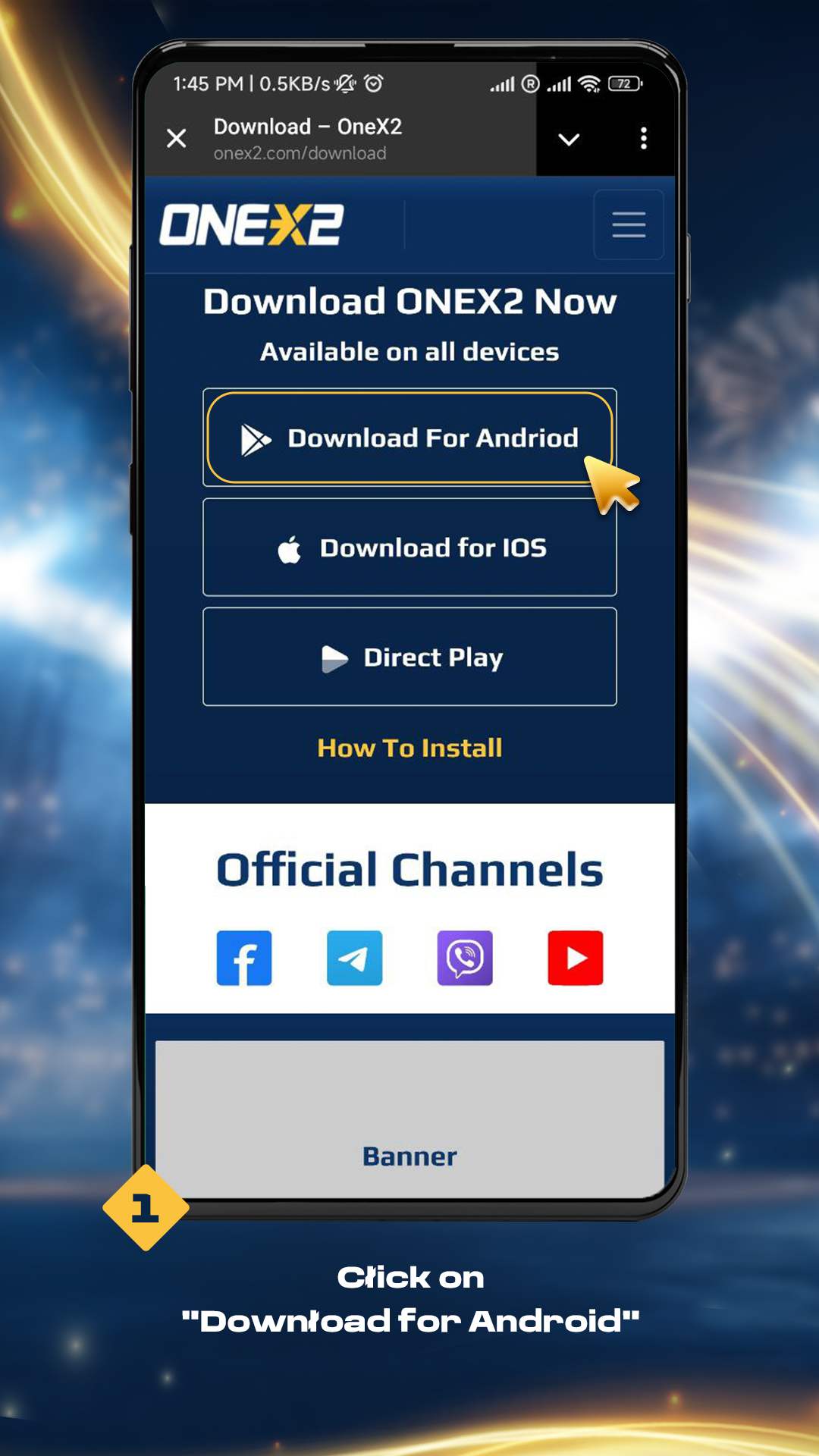
1. Click on "Download for Android"

1. Click on "Download for Android"

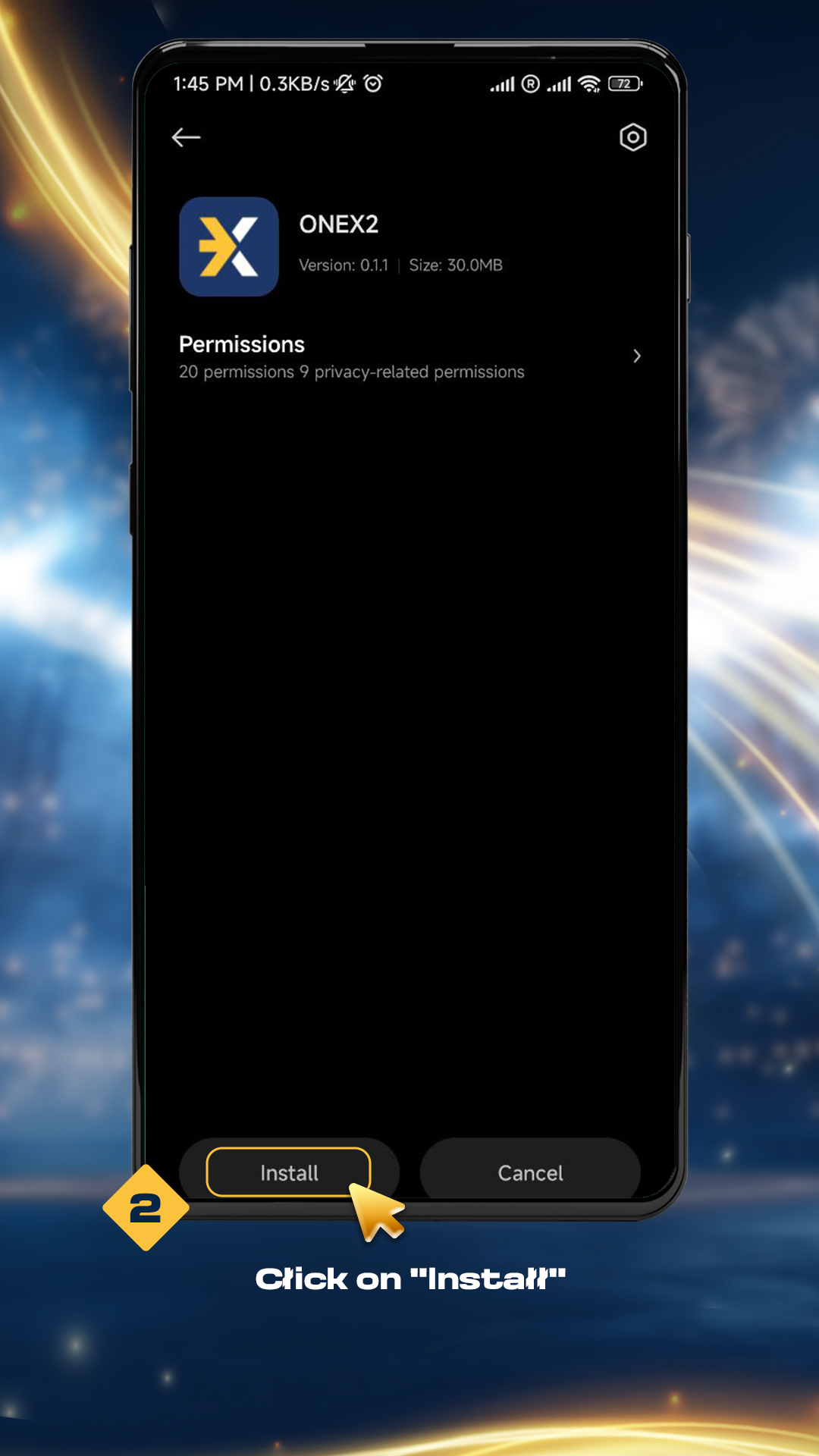
2. Click on "Install"

2. Click on "Install"

3. Click on "Install Anyway" when "Unsafe App Blocked" message appears
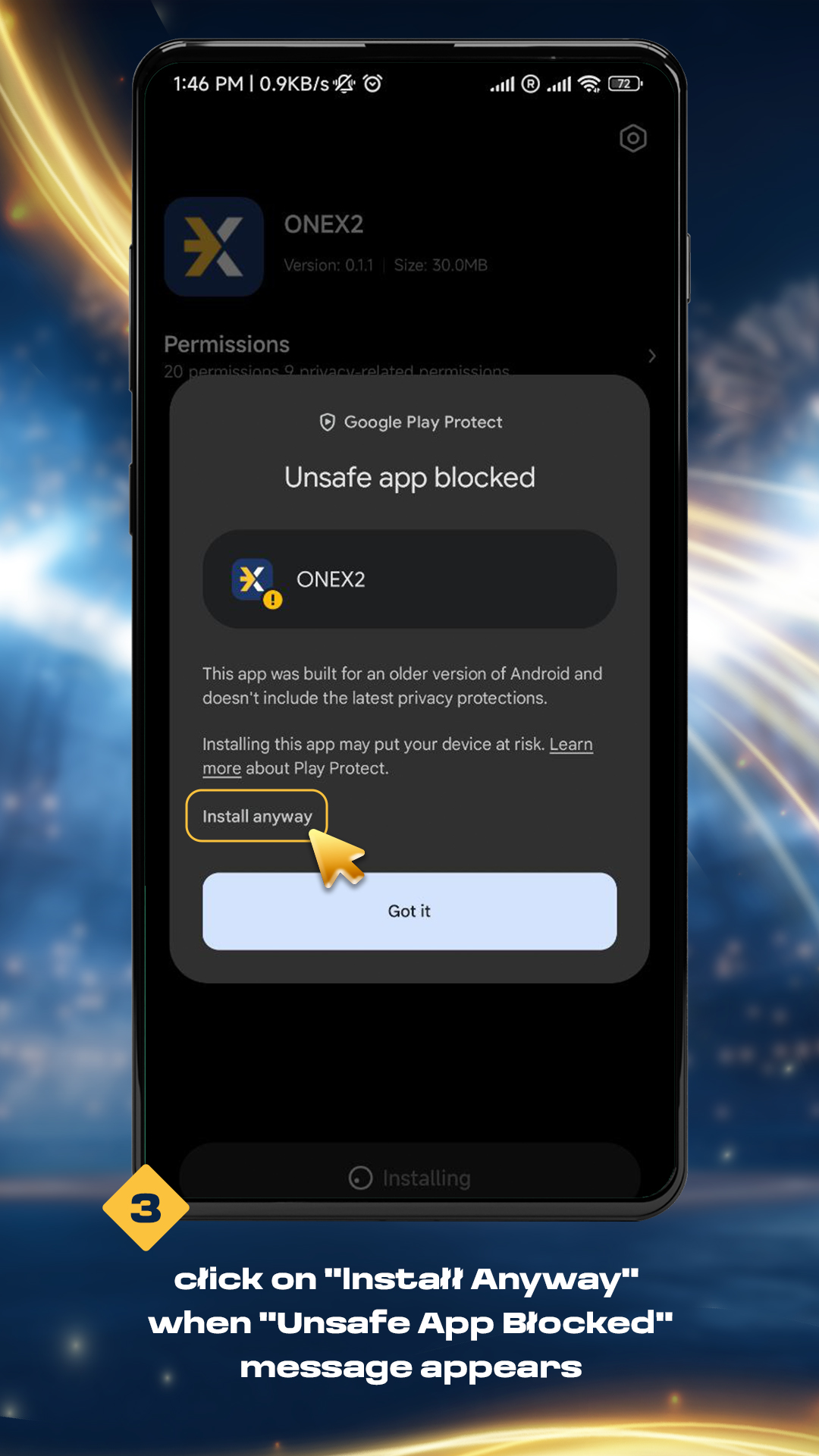
3. Click on "Install Anyway" when "Unsafe App Blocked" message appears

4. Click on "Launch" when this message appears
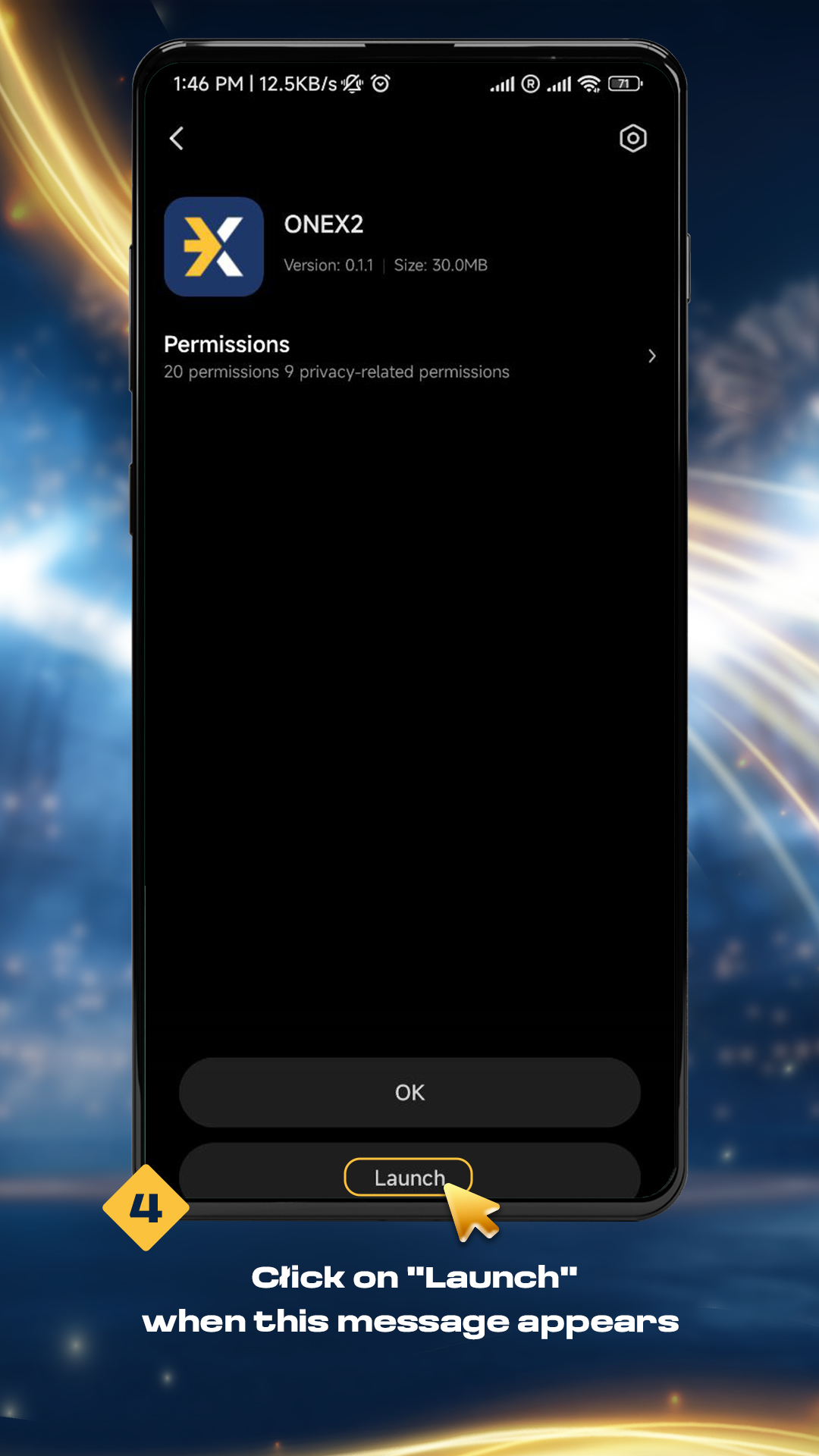
4. Click on "Launch" when this message appears

5. Click on "Bet Now" or "Skip" when this image appears
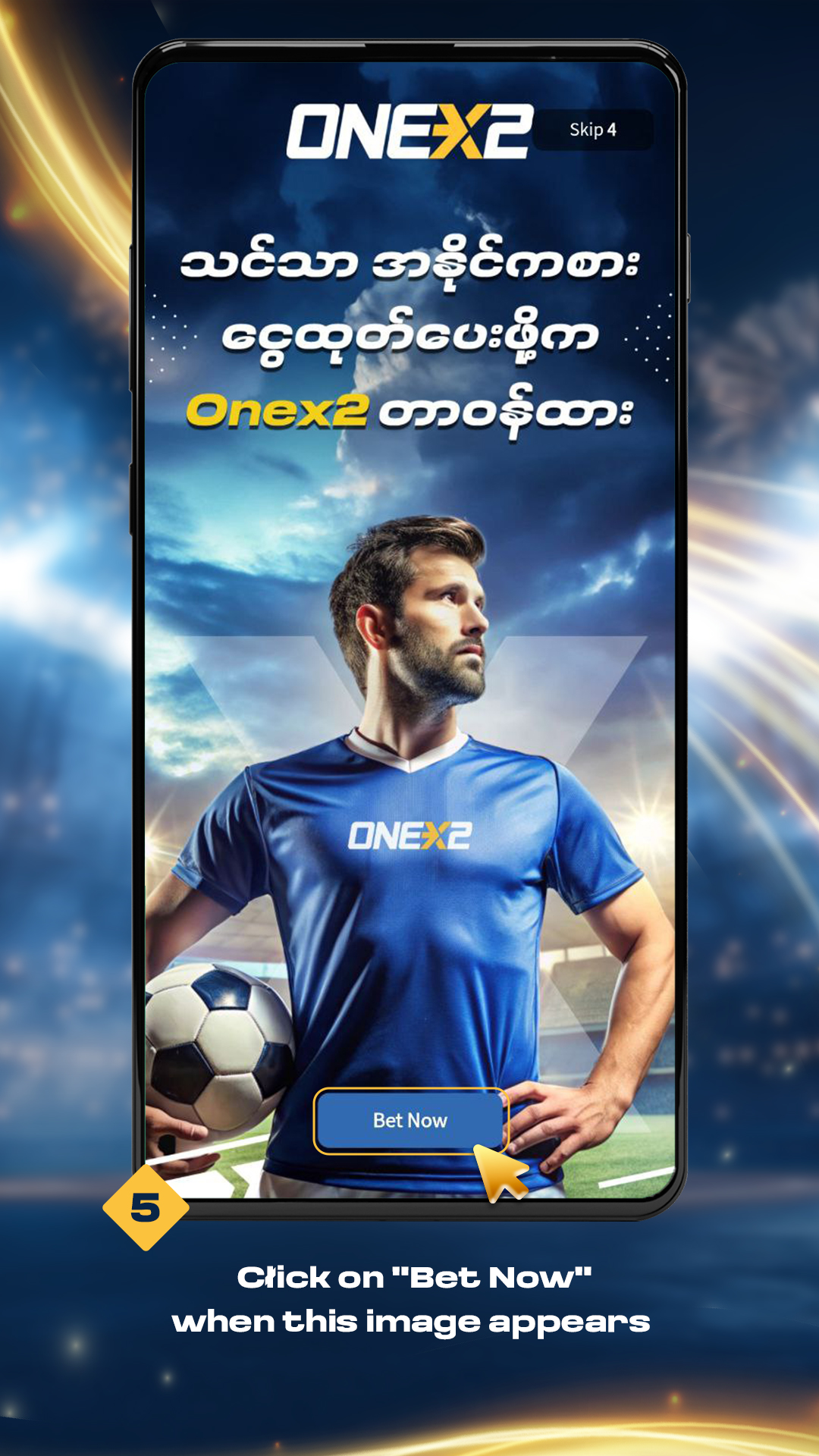
5. Click on "Bet Now" or "Skip" when this image appears

6. After installation, you can easily enter the app to register and enjoy
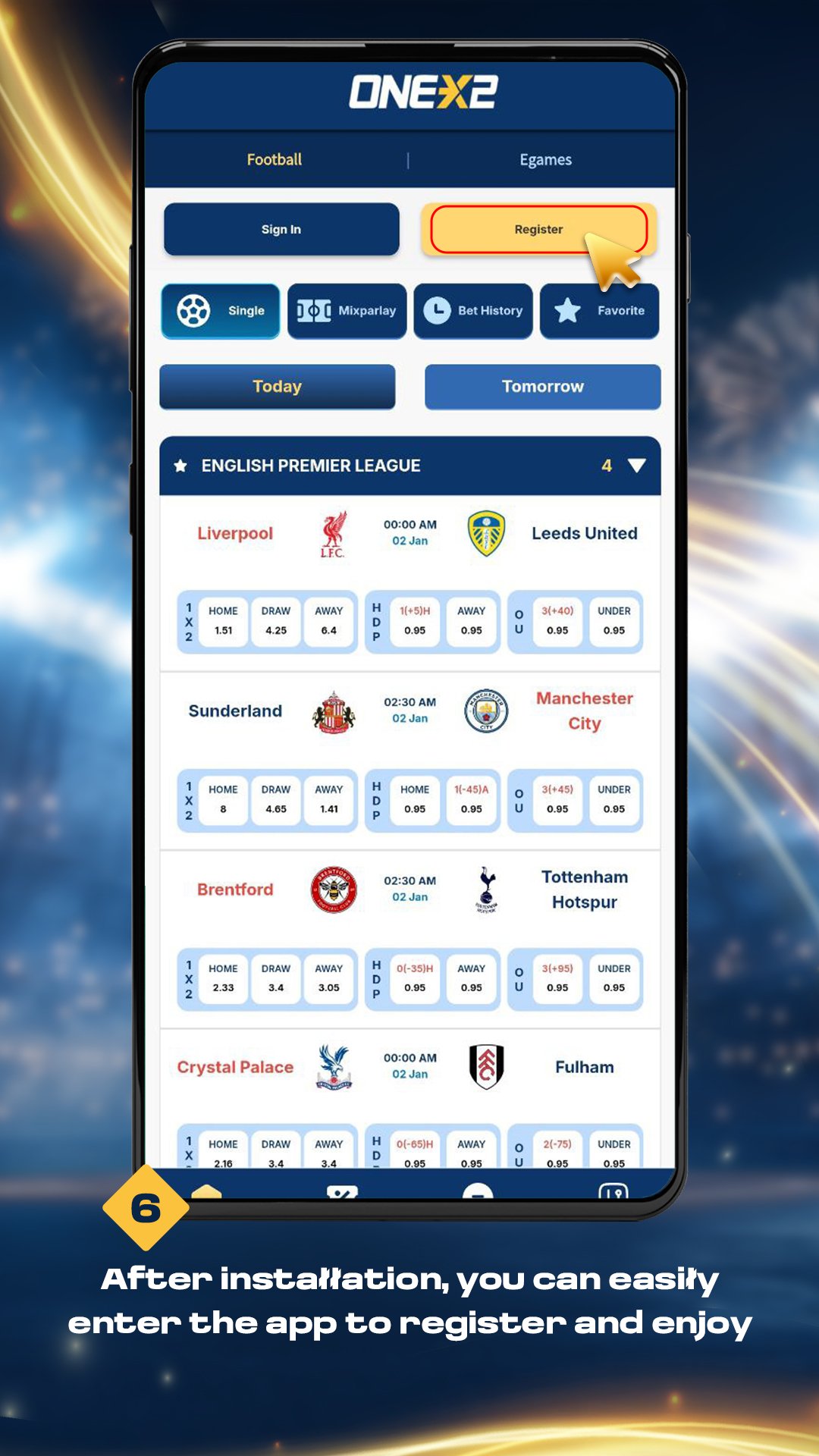
6. After installation, you can easily enter the app to register and enjoy

1. Click on the Download for iOS button

1. Click on the Download for iOS button

2. Click on the Download button

2. Click on the Download button

3. After the download, click the "onex2 file" in the folder, and then click the Close button

3. After the download, click the "onex2 file" in the folder, and then click the Close button

4. In setting, Profile Downloaded will appear, then click on Profile Downloaded

4. In setting, Profile Downloaded will appear, then click on Profile Downloaded

5. When you reach Profile Downloaded, click install

5. When you reach Profile Downloaded, click install

6. Please enter your phone's Passcode number

6. Please enter your phone's Passcode number

7. Click on the Install button

7. Click on the Install button

8. Click the Install button and installation is completed

8. Click the Install button and installation is completed

9. After installation, you can easily enter the app to register and enjoy

9. After installation, you can easily enter the app to register and enjoy